
Translation notice
This page was translated with machine translation and may contain inaccuracies. If you can help improve it, please open an issue or submit a pull request.
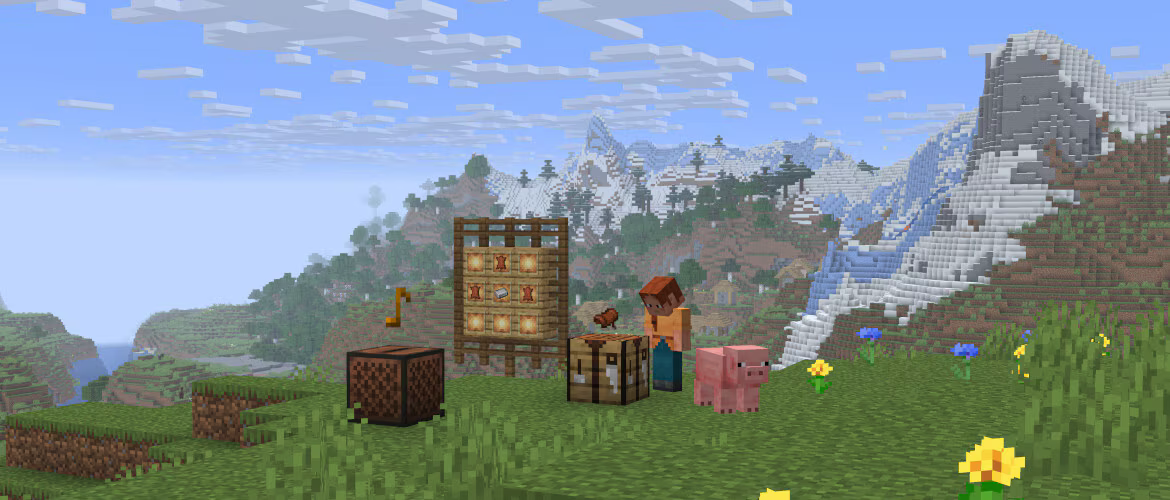


Vanilla News - Mojang Spotlight - June 2025
Here is Vanilla news, the most Vanilla technical snapshot news in the whole Minecraft. Our reporter Vanilla Fox reports the latest snapshot news for you ~
This month Mojang has updated two snapshots: 25w20a, 25w21a, and 4 pre-release versions: 1.21.6-pre1~4. At the time of writing this article, 1.21.6-rc1 has been released, and the update time of 1.12.6 is determined to be 2025.6.15. This month, the data pack version number has reached 80, an increase of 4 from the previous month. The resource pack version number has reached 63, an increase of 3 from the previous month. The overall situation is stable and improving.
Let’s talk about the conclusion first. This month’s update is extremely functional, less destructive, and generally optimized. Overall, it belongs to the super large cup level.
In this update, Mojang has added a very promising dialog feature.
TIP
For more important destructive changes, they will be marked with 💥
dialog
dialog is an extremely important feature added in 25w20a, allowing data Pack uses JSON format to define a simple interactive interface. It can use text components to display information, and it can also use buttons, text input boxes, etc. to accept input from the player. At the same time, through#pause_screen_additionstag, you can also add the entrance to the custom dialog to the pause menu. The game provides shortcut keysGOpen#quick_actionsdialog in tag.
A brief introduction
First, to define a dialog, you need todata/<命名空间>/dialogdefined in. To define a dialogtag, you need todata/<命名空间>/tags/dialogdefined in. The definition of dialog andworldgenSimilarly, cannot hot reload. However, you can still inline it into/dialogin command.
dialog is divided into three parts: Header, Content and Footer, and all content in them is forced to be center-aligned. The basic structure of
dialog is as follows:

Dialog:Basic definition
type:dialog type
title:corresponds to the box header, that is, the title, which is the text componentbody:corresponds to the first part of the content, the main element of the dialog, which can contain various controlsinputs:The second part of the corresponding content, usually a series of buttons, that is, the input controlexternal_title:The text used to open this dialog button in the pause screen or other dialogsafter_action:The post-operation behavior of the dialog
pause:Whether the dialog pauses the game in a single-player game
main element, that isbodyThe content in
item: render itemplain_message:Text component
while input control, i.e.inputsThe content in
boolean: Checkboxnumber_range:Digital selection slidersingle_option: Option button to switch between multiple optionstext: Text input box, can be multi-line or single-line
For specific control format, please refer to Wiki.
Different dialog types will render different buttons at the bottom. The behavior that will be performed when these buttons are clicked is called Action (Action). After clicking the button, the operations that can be performed include:
- In addition to the text component click event
open_fileAll events except dynamic/custom: Integrate the values entered by all input controls into a composite tag and submit it to the server (command is not used)dynamic/run_command: Pass the values entered by all input controls into the specified macro command as macro parameters. The executor is the player who sees this dialog.
WARNING
If the execution permission of the command is greater than 0, regardless of whether cheating is enabled, a warning box will pop up, asking the player to confirm the execution of this command.
So, use it wiselytrigger.
The following is a simple example that contains a basic demonstration of most controls:
Example
{
    "type":"notice",
    "title":"好耶是新UI",
    "external_title": "加入狐狐幼儿园",
    "body":[
        {
            "type": "plain_message",
            "contents": {"text": "狐狐幼儿园入学登记", "color": "aqua", "bold": true}
        },
        {
            "type": "item",
            "item": {
                "id": "sweet_berries",
                "count": 1
            },
            "show_tooltip": false
        }
    ],
    "inputs":[
        {
            "type":"text",
            "key":"name",
            "label":"名字"
        },
        {
            "type": "boolean",
            "key": "isFox",
            "label": "是狐狐"
        },
        {
            "type": "single_option",
            "key": "speak",
            "label": "狐狐怎么叫",
            "options": [
                "喵喵喵",
                "咕咕咕",
                "嘤嘤嘤",
                "大楚兴陈胜王"
            ]
        },
        {
            "type": "number_range",
            "key": "phoneNumber",
            "label": "验证码",
            "label_format": "%s: %s",
            "start": 1000000000,
            "end": 2000000000,
            "step": 1,
            "initial": 1145141145
        }
    ],
    "action": {
        "label": "填好了喵",
        "action": {
            "type": "dynamic/run_command",
            "template": "data modify storage test:input data set value {name:'$(name)', isFox:'$(isFox)', speak:'$(speak)', phoneNumber: $(phoneNumber)}"
        }
    }
}
The effect is as shown in the figure
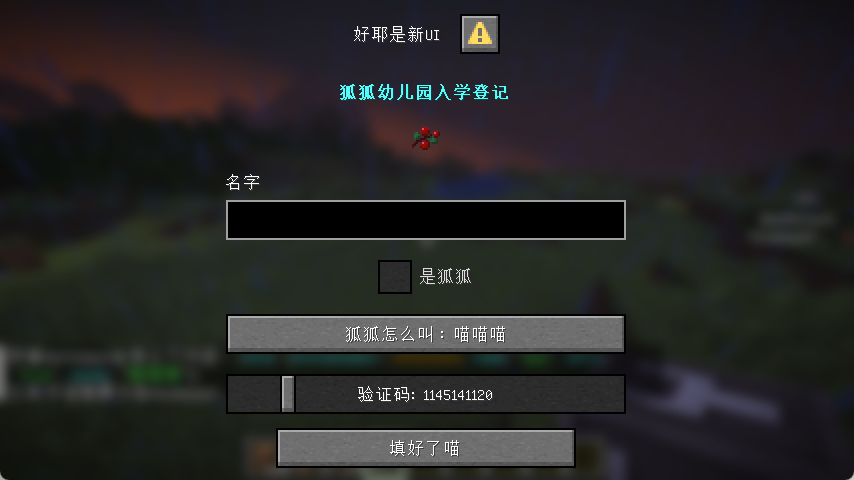
Example display
CR_019 Sokoban mini game:
2048 mini-game produced by Void Spirit Workshop:
Minesweeper produced by Xiaoqizi:
Other
New in 25w20acan_be_shearedThe item component allows the player to remove this item by right-clicking the target entity with scissors, and also addsshearing_soundSound event, controls the sound effect played when this item is cut.
1.21.6-pre1 was added in the item model mapping file.oversized_in_guiField that controls whether the item can exceed the slot border when rendered in the item bar. Otherwise, the item will be truncated at the border. Addedminecraft:player_headModel, used to render the player's head.
TIP
In the update article of 1.21.6-pre1, the official left these words:
This ability of items being rendered outside their slots should not be considered officially supported, it was temporarily restored as an exception since many servers are relying on it
Rendering items beyond the grid they occupy is not officially supported behavior, but because many servers rely on this, this feature is treated as an exception and will not be fixed.
At some point in the future we hope to replace it with an officially supported way of achieving similar functionality
We hope to replace it with an officially supported way of achieving similar functionality in the future.
In addition, the sound has been optimized and adjusted for the newly added dialog function, and some sound effects have been renamed. Added saddle recipes and replaced the saddle in the original loot box with leather. For more detailed information, please see Wiki~