
Translation notice
This page was translated with machine translation and may contain inaccuracies. If you can help improve it, please open an issue or submit a pull request.
How to determine the NBT data type of a given address
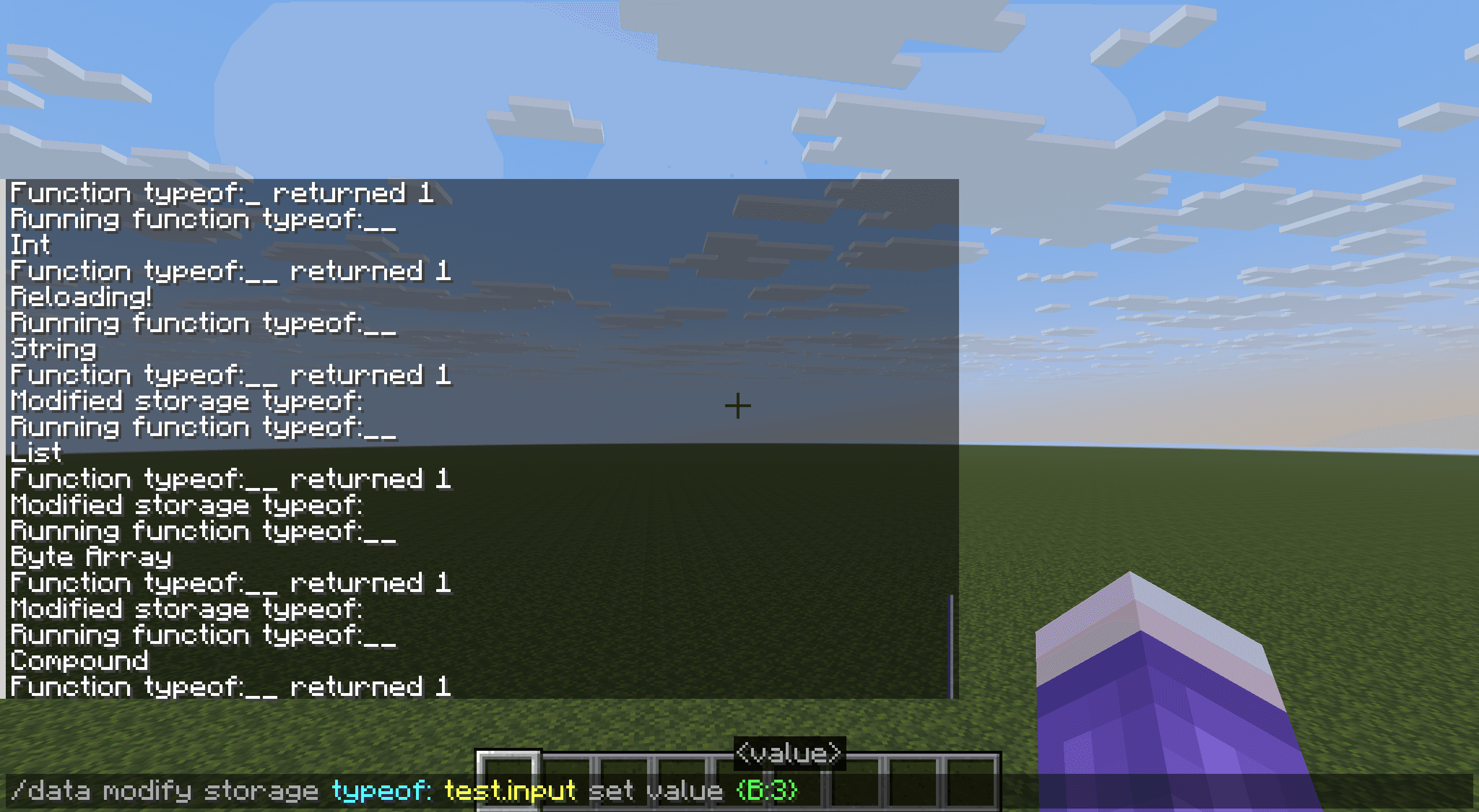
introduction
As a typed language (specifically a dynamically typed language), sincemcfunctionThere are actually quite a few implicit type conversions (for example, lists, strings, and composite tags will be implicitly converted when extracted to the return value, and have different meanings). The correct use of NBT data relies heavily on the correct understanding of the data type.
However,mcfunctionThere is no native data type identification and acquisition mechanism. This raises a question for us:
**Given an NBT address, output the data type stored in the NBT address. **
1. List attempt append method (expired)
This part of the method is provided by Ju Lao @小豆8593 mentioned, only applicable to versions before 1.21.5.
1.21.5version (specifically a snapshot25w09a), the list type only supported homogeneous lists, that is, all elements in the list must have the same data type.
This restriction is enforced: trying to add an element with a different data type to a list type fails directly without any implicit conversion.
This behavior is different from arrays (byte, integer, long), which although only support a single data type, will still perform implicit conversion on the value. Such as the following example:
data modify storage test: t0 append value 132.45dIf NBT pathstorage test: t0Stores an integer array[I;], the data will first be implicitly converted to integer type132Then store it into an integer array as an integer;
If it is byte type[B;], it will be further intercepted into byte data to obtain`
- 124b
。\ **But if any ordinary list with non-double type elements is placed here (such as[12.44f]`), the append operation will fail directly, and the reason for failure is "There is no change, the selected area already has these data." **
(This is an old problem with the data command. No matter why the modify fails, this error message will be displayed.)
Therefore, the solution to this problem is very simple: take some lists, try to append the target item to the list and record the return value. If the return status is successful, get the type of the item. The reference implementation is as follows:
data remove storage typeof: test.target
execute unless data storage typeof: test.input run return run tellraw @s {"text":"Null"}

data modify storage typeof: test.target set value [0]
data modify storage typeof: test.target append from storage typeof: test.target
execute unless data storage typeof: test.target[1] run return run tellraw @s {"text":"Int"}

# 重复以上3行。重复段第一行的value分别换为[0b]、[0s]、[0l]、[0f]、[0d]、[[]]、[[B;]]、[[I;]]、[[L;]]、[{}]、[""],分别测试即可。
2. SNBT analysis method (entity required)
This method is suitable for1.19.4and future versions to this day require a text display entity。
An important way to distinguish NBT data types is through SNBT conversion. Type markers such as suffix can be clearly seen in the converted SNBT text. 1.19.4The string slicing feature means that type differentiation can be accomplished as long as the SNBT text of the target item is available.
Where can I get a plain text SNBT string? Text component parsing is a solution (in theory, it can also be done by taking the LastOutput of the command block, but since the presentation result of the data getcommand is colored SNBT, the underlying text component is relatively complex and it is difficult to obtain the required data).
Text parsing of storage content can be completed by bulletin boards, books (opened for the first time), boss column titles, text display entities, etc., but only text display entities can run automatically and completely retrieve the parsed text. **
**The text component parsed by the NBT address item will be an SNBT format representation in the form of plain text (complete string) (unless the source address NBT is a string, in which case the text component parsed is a direct copy of the source string). **
However, strings are not difficult to handle. Putting another layer of lists (only one element) outside can ensure that all types of data are parsed in SNBT format, as long as you don't forget to move one more character inward when fetching characters.
After obtaining the SNBT format string, we mainly focus on its last character, through which we can distinguish most types:
}Corresponding to compound tag'"Corresponding stringbCorresponding byte type valuesCorresponds to short integer valuelCorresponds to long integer valuefCorresponds to single-precision floating point valuesdCorresponds to double-precision floating point values0..9Corresponds to integer value (can also be excluded)]Corresponding to a list or array, you need to further take the first 3 characters of the string to distinguish:[B;Corresponding byte array[I;Corresponding integer array[L;Corresponds to long integer array- Otherwise, the corresponding list
The function is implemented as follows:
execute unless data storage typeof: test.input run return run tellraw @s "Null"

data remove storage typeof: test.target
data modify storage typeof: test.target append from storage typeof: test.input
summon text_display 0 0 0 {Tags:["typeof_temp_resolution"],text:{storage:"typeof:",nbt:"test.target"}}
data modify storage typeof: test.string set from entity @e[type=text_display,tag=typeof_temp_resolution,limit=1] text
kill @e[type=text_display,tag=typeof_temp_resolution]

data modify storage typeof: test.suffix set string storage typeof: test.string -2 -1
execute if data storage typeof: test{suffix:'b'} run return run tellraw @s "Byte"
execute if data storage typeof: test{suffix:'s'} run return run tellraw @s "Short"
execute if data storage typeof: test{suffix:'l'} run return run tellraw @s "Long"
execute if data storage typeof: test{suffix:'d'} run return run tellraw @s "Double"
execute if data storage typeof: test{suffix:'f'} run return run tellraw @s "Float"
execute if data storage typeof: test{suffix:'"'} run return run tellraw @s "String"
execute if data storage typeof: test{suffix:"'"} run return run tellraw @s "String"
execute if data storage typeof: test{suffix:'}'} run return run tellraw @s "Compound"
execute unless data storage typeof: test{suffix:']'} run return run tellraw @s "Int"

data modify storage typeof: test.prefix set string storage typeof: test.string 1 4
execute if data storage typeof: test{prefix:'[B;'} run return run tellraw @s "Byte Array"
execute if data storage typeof: test{prefix:'[I;'} run return run tellraw @s "Int Array"
execute if data storage typeof: test{prefix:'[L;'} run return run tellraw @s "Long Array"

return run tellraw @s "List"
3. Macro analysis method and its limitations
1.20.2The updated function macro is also a source of SNBT format data. Likewise, wrapping a list in the outer layer ensures that test items are always loaded in SNBT format.
However, due to escaping problems, if the test item contains a string, the SNBT writing method taken out in the form of a macro cannot be passed.dataStore the string (if it is enclosed in double quotes, an initialization error will definitely occur; if it is enclosed in single quotes, an error will occur when there are escaped quotes in the string).
Therefore, compared with the entity method, this solution cannot distinguish: strings, composite tags (which may contain strings), and lists (which may contain strings).
4. Other miscellaneous identification
If you really want to use the above macro parsing method to create entity-free type recognition, you need to make separate judgments on strings, compound tags, and ordinary lists. Here are some identification options:
4.1 Composite tag
- ~~
data modify <source> merge from <target>command requirements<source>and<target>Only if they are composite tags can success be achieved, but it is unavoidable<source>and<target>Exactly the same special case that leads to failure, this solution is not very good. ~~ - ~~
data modify <source>.<path> set value <val>command requirements<source>It can only be successful if it is a compound tag, but it cannot be avoided<source>Already in{<path>:<val>}item, the program is not very good either. ~~ - Only compound tags can be used as parameters
functionCommand is passed in to another function, otherwise it fails. This function does not necessarily need to receive parameters, so a command that always succeeds is placed inside the function (such asreturn 1) can guarantee that the operation will be successful when the test item is a composite item. - However, the most convenient way to distinguish is to use
execute if data <path>{}, the command is in<path>If it is a compound tag, it must get 1, otherwise it will get 0.
4.2 Ordinary list
- ~~
execute if data <path>[], the command is in<path>It also gets 0 for an empty list, so it's not a good way to check. ~~ - Only ordinary lists can append a non-numeric element via append (e.g.
{}、[]、""), filtering can be completed directly through this method.
4.3 String
data modify <source> set string <target>command requirements<target>Must be a numeric value (automatically converted to a string) or string type, otherwise it will fail. If the data meets the requirements, the operation of extracting the substring with subscripts from 0 to 0 must succeed.- Combined with the previous point, when numeric values or strings have been distinguished, only numeric values can be successfully appended to an array, and only numeric values can be successfully parsed when passed in through a macro and surrounded by double quotes. In this way, the string can be determined by elimination.
4.4 Synthesis of miscellaneous identification and macro identification
Based on the combination of the above solutions, the following function can also recognize all types without an entity.
function1
data remove storage typeof: test.target
execute unless data storage typeof: test.input run return run tellraw @s "Null"
execute if data storage typeof: test.input{} run return run tellraw @s "Compound"

data modify storage typeof: test.target append from storage typeof: test.input
execute store success storage typeof: test.success byte 1 run data modify storage typeof: test.target[0] append value []
execute if data storage typeof: test{success:1b} run return run tellraw @s "List"

execute store success storage typeof: test.success byte 1 run function 函数2 with storage typeof: test
execute if data storage typeof: test{success:0b} run return run tellraw @s "String"

data modify storage typeof: test.suffix set string storage typeof: test.string -2 -1
execute if data storage typeof: test{suffix:'b'} run return run tellraw @s "Byte"
execute if data storage typeof: test{suffix:'s'} run return run tellraw @s "Short"
execute if data storage typeof: test{suffix:'l'} run return run tellraw @s "Long"
execute if data storage typeof: test{suffix:'d'} run return run tellraw @s "Double"
execute if data storage typeof: test{suffix:'f'} run return run tellraw @s "Float"
execute unless data storage typeof: test{suffix:']'} run return run tellraw @s "Int"

data modify storage typeof: test.prefix set string storage typeof: test.string 1 4
execute if data storage typeof: test{prefix:'[B;'} run return run tellraw @s "Byte Array"
execute if data storage typeof: test{prefix:'[I;'} run return run tellraw @s "Int Array"
execute if data storage typeof: test{prefix:'[L;'} run return run tellraw @s "Long Array"

return run tellraw @s "Unknown"
function2
$data modify storage typeof: test.string set value "$(target)"
return 1