
Translation notice
This page was translated with machine translation and may contain inaccuracies. If you can help improve it, please open an issue or submit a pull request.
Use PackSquash to compress and obfuscate resource pack
PackSquash is a resource pack compression and obfuscation tool that can help reduce the size of resource packs and easily obfuscate them.
The use of the tool is not complicated, but after all, it is a command tool. It is still a bit troublesome for those who are not familiar with it. This article will briefly introduce how to use it.
download
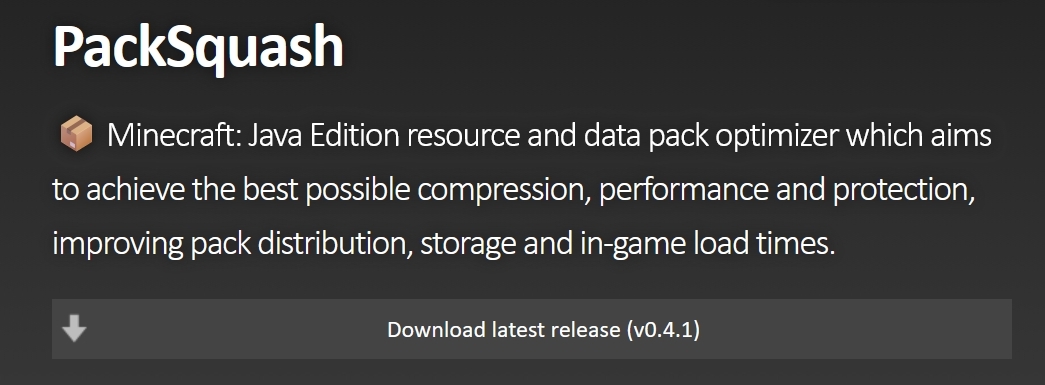
Go to Project Home Pagefind buttonDownload latest release, will be directed to the project's GitHub Release page, or directly through the project's Release page download
For Windows users, look forwindowsOptions for words such as
For MacOS users, look for theapple,darwinormacOSOptions for words such as
For Linux users, if you need teaching, please stop using Linux
The illustration shows the Release page of version 0.4.1. Different versions have different names.
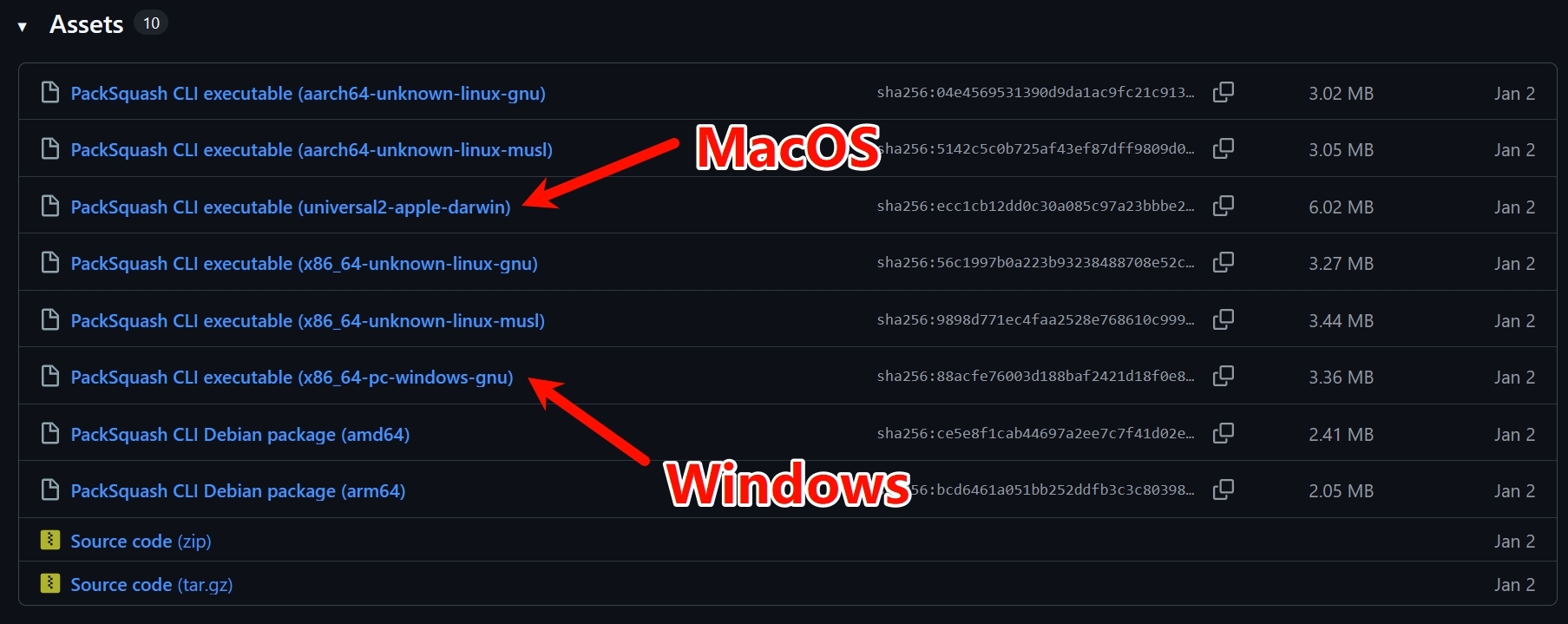
Taking Windows as an example, decompress the downloaded compressed package and you should get a box icon namedpacksquash.exeexecutable file
Prepare
Three documents need to be prepared:
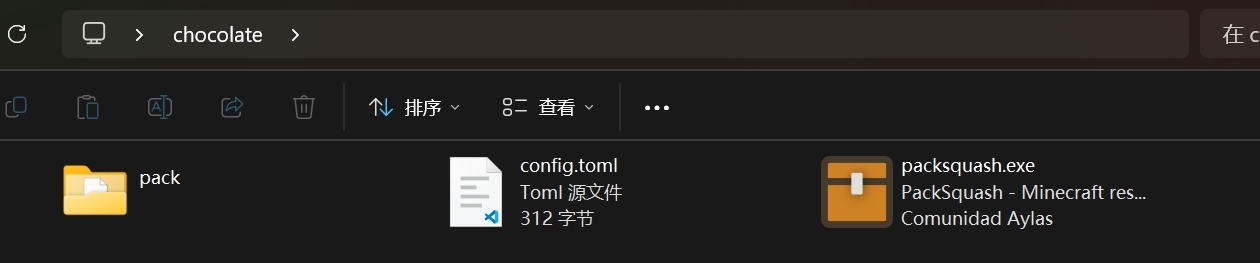
packsquash.exe:PackSquash executable file- Resource pack directory: The decompressed resource pack is placed in a directory.
pack.mcmetaIt should be in the root directory of this directory - Configuration file: a format of
tomltext file, the name is not limited, but here I named itconfig.toml
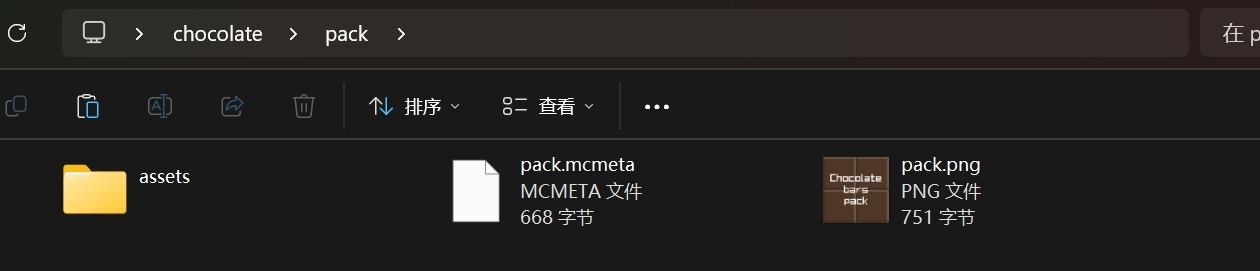
Theoretically they can be placed anywhere, but for convenience, they are placed in the same directory here
Configuration
Openconfig.toml, enter the following:
pack_directory = '资源包目录的路径'Will资源包目录的路径Replace with the actual path to your resource pack directory
As for how to obtain the resource pack path, a simpler solution is to right-click your directory and select复制文件地址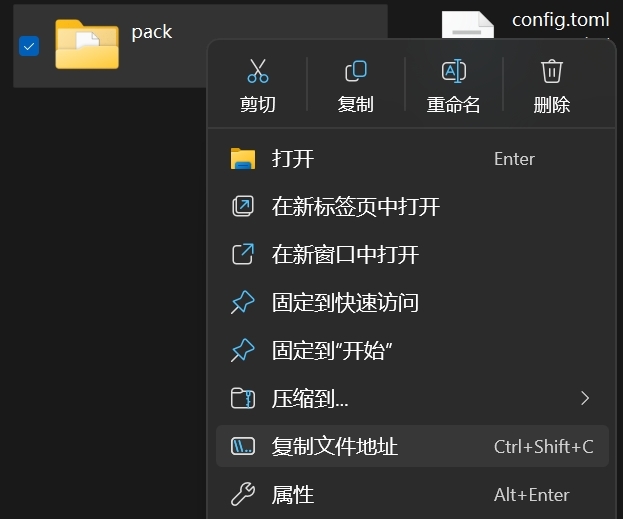
If it is another version of Windows, it may not be available.复制文件地址options, you can choose属性, found in the pop-up window位置, copy its contents
Note that the default copied path is wrapped in double quotes, andtomlIt is recommended to use single quotes to wrap the string, so you need to replace the double quotes with single quotes. It will look like this in the end (please replace the author's path with your own path):
pack_directory = 'C:\Users\bread\Desktop\chocolate\pack'run
Open the terminal in the working directory. Generally, you can right-click in a blank space of the working directory and select在终端中打开, if this option is not available, you can copy the path of the working directory, start the terminal separately, and entercd "路径"Enter working directory
Enter the following command:
.\packsquash.exe .\config.tomlIf you don’t understand the relationship between directories, you can also directly copypacksquash.exepath andconfig.tomlpath, enter the following command:
"packsquash.exe 的路径" "config.toml 的路径"Press Enter to execute. If everything goes well, a file namedpack.zipThe compressed package, this is the compressed and obfuscated resource pack.
More configuration parameters
The configuration file just mentioned is just the simplest configuration, using the default scheme. If you want to customize the effect, you can refer to PackSquash's documentation to modify the configuration file
If you are too lazy to bother, the author has written a set based on compression effects. Generally speaking, it is reliable. If there are problems with use, please check the documentation and modify it yourself.
pack_directory = 'C:\Users\bread\Desktop\chocolate\pack'

recompress_compressed_files = true
zip_compression_iterations = 255
zip_spec_conformance_level = 'disregard'
never_store_squash_times = true

['**/*?.png']
image_data_compression_iterations = 255
downsize_if_single_color = true
png_obfuscation = true
Features of several additional options:
recompress_compressed_files:Recompresszip_compression_iterations: Number of compression iterations. The larger the value, the higher the compression rate, but also the slower it is. 0-255, default 20zip_spec_conformance_level: Special packaging scheme that does not comply with the standard zip specification. The default is 'pedantic' which complies with the specification. Although it can be read by the game if it does not comply with the specification, some distribution platforms may refuse to upload it.never_store_squash_times: Actually, I don’t understand it. I guess it has something to do with compression and reuse, but according to the documentation, turning it on will have no side effects.image_data_compression_iterations: Number of image data compression iterations, equivalent to image versionzip_compression_iterations, 0-255, default 15downsize_if_single_color: If the picture has only one color, it will be directly converted into a solid color picture.png_obfuscation: PNG obfuscation, when turned on, PNG files will be obfuscated.
Take the author’s Chocolate Texture Pack 3.9 For example, the original package passes PNGGauntlet Compression, packaging selection 7-Zip ofLevel 9Compression, the final product is 1.8 MB; after using this configuration to compress, the product is 0.8 MB, the compression rate is very good
Things to note
Obfuscation is not encryption. Although the obfuscated resource pack can no longer be opened directly through decompression tools, its content is essentially readable. Don't think that if it is obfuscated, there will be no piracy or secret sales.
What's more, even if it is encrypted, as long as the end user can decrypt it and use it, it is no different than not adding it.