
Translation notice
This page was translated with machine translation and may contain inaccuracies. If you can help improve it, please open an issue or submit a pull request.
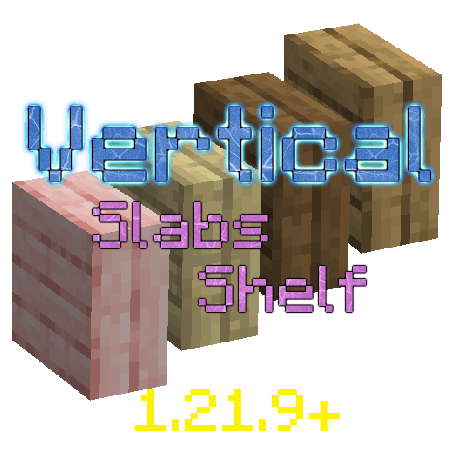
Single-file resource pack implements vertical half-brick (super simple!)
This method has flaws
In some cases this method has visual drawbacks. See Editor's Note for details.
introduction
*I came quietly and left quietly, hoping to leave you a flower to bloom ~ ~ ~ Gugu Gaga *OvO* Dreamy_Blaze would like to pay tribute to all the hardworking architects, and thank Vanilla Library for supporting this article! *
With the update of the Java version, is there a better implementation plan for the vertical half-brick that the construction party has been thinking about? That's right, here is an implementation solution based on vanillaresource pack, which is extremely lightweight and simple! **
Minecraft has updated Display Stand in Java 1.21.9 version. Our protagonist today is to use the display stand to simulate vertical half bricks. We only need to write onejsonThe file can realize the vertical half-brick form of all steps, and is compatible with most texture packs and even supports half-bricks of other mods!
The effect is as shown in the figure:

Without further ado, here is the link:

The resource pack has been released to modding platforms such as MR and CF, namedVertical Slabs Shelf。
principle
Let’s briefly introduce the principle to ensure that novices can understand it:
According to the Wiki, in Minecraft, models are divided into baked models and dynamic models. We don’t need to know what they mean. We only need to know that most static blocks use baked models. Baked models can be inherited. For example, all blocks inherit fromblock, all steps inherit fromslab, so that you can have common characteristics of the parent model, by specifying the elementsparentYou can inherit the parent model. Therefore, we only need to modify the parent model file that covers vanillaassets\minecraft\models\block\slab.jsonYou can achieve modifications that take effect on all half-bricks.
{
    "parent": "block/block",
    "textures": {
        "particle": "#side"
    },
    "elements": [
        {
            "from": [ 0, 0, 0 ],
            "to": [ 16, 8, 16 ],
            "faces": {
                "down":  { "uv": [ 0, 0, 16, 16 ], "texture": "#bottom", "cullface": "down" },
                "up":    { "uv": [ 0, 0, 16, 16 ], "texture": "#top" },
                "north": { "uv": [ 0, 8, 16, 16 ], "texture": "#side", "cullface": "north" },
                "south": { "uv": [ 0, 8, 16, 16 ], "texture": "#side", "cullface": "south" },
                "west":  { "uv": [ 0, 8, 16, 16 ], "texture": "#side", "cullface": "west" },
                "east":  { "uv": [ 0, 8, 16, 16 ], "texture": "#side", "cullface": "east" }
            }
        }
    ]
}
The above is vanillaslabmodel file, we modify it and the final result looks like this:
{
    "parent": "block/block",
    "textures": {
        "particle": "#side"
    },
    "elements": [
        {
            "from": [ -0.01, -0.01, -0.01 ],
            "to": [ 16.01, 8.01, 16.01 ],
            "faces": {
                "down":  { "uv": [ -0.01, -0.01, 16.01, 16.01 ], "texture": "#bottom", "cullface": "down" },
                "up":    { "uv": [ -0.01, -0.01, 16.01, 16.01 ], "texture": "#top" },
                "north": { "uv": [ -0.01, 8.01, 16.01, 16.01 ], "texture": "#side", "cullface": "north" },
                "south": { "uv": [ -0.01, 8.01, 16.01, 16.01 ], "texture": "#side", "cullface": "south" },
                "west":  { "uv": [ -0.01, 8.01, 16.01, 16.01 ], "texture": "#side", "cullface": "west" },
                "east":  { "uv": [ -0.01, 8.01, 16.01, 16.01 ], "texture": "#side", "cullface": "east" }
            }
        }
    ],
    "display": {
        "on_shelf": {
            "rotation": [-90, 0, 0],
            "translation": [0, 0, -16],
            "scale": [4, 4, 4]
        }
    }
}
Okay, let's explain it. First, we addeddisplaytag, their formats can be found in the Wiki, and then addon_shelfThe parameters are used as the rendering transformation of the step-type item on the display stand. Through certain rotation, offset and scaling (can be edited using the Blockbench tool), when the item is placed on the display stand, a vertical half brick is rendered; secondly, due toscaleThe maximum limit can only be 4. After this modification, a problem is that there is a texture conflict between the vertical half-brick model and the display frame frame, and a flickering superposition phenomenon will occur. Then we modify it.elementsoffromandtoIt can be corrected. They indicate what coordinate the model needs to go from. Obviously, the original 0 and 16 conflict with the complete block such as the display stand. We need to slightly increase the maximum value and slightly reduce the minimum value. In this way, the display stand is wrapped by the step model. Similarly, different facesuvYou also have to make modifications according to the gourd's drawings to finally get the result.
Use the above file to overwrite the vanilla file, and when you place the steps on the middle grid of the display shelf, you can see the vertical half brick! (useCtrl+SelectSelect the display stand with item data to make it easier to place some kind of vertical half brick)
**What are the benefits of this solution? I'd love to share how I came up with the idea of making this thing. **As the author, I haven’t been exposed to MCvanilla for a long time and developed QAQ. Because I accidentally saw a video on Xiaopozhan of someone using a trap door to replace the vertical half-brick, I thought about this problem and tried to find a more common and universal solution. On the existing module platform, most of the more popular vertical half-brick works are based on the implementation of module or data pack. I won’t talk about modules (universal code). The disadvantage is that it relies on the module loader and is not flexible enough. Data pack authors will use encapsulated display entity tools to operate the conversion of vertical half-bricks. The shortcomings are more obvious. Entity data is much more complex than block data, and whether you are saving the structure or schematic diagram, you must pay attention to whether you choose to include the entity, otherwise it is easy to miss it. In addition, it is easy for creators to misoperate this type of entity when debugging, but block is not easy to misoperate, and it has its own unique collision box. At first, I wondered if I could modify the bunch of streaky copper trap doors to replace the steps? But there are only 8 trapdoors in that pile, and there are dozens of steps. Then I started thinking about other multi-state blocks. I have been thinking about billboards, flags, candles, etc., but if I modify them, I can no longer use them, and they cannot be placed randomly. They are attached to other blocks and are easily destroyed. Only later did I think of the display stand. The display stand is a very lightweight blockentity. In previous versions, there were also implementations of vertical half-bricks using resource pack, such as modifying the model of the item in the item display box. This solution can even see two vertical half-bricks in one grid. However, it was not until 1.21.9 that the emergence of the display stand made the implementation of vanilla vertical half bricks break away from the entity. END
Editor's Note
From GeForceLegend Discussion with the editor:
GeForceLegend 2026/3/9 14:53:27
而且这玩意因为原版本身的实体渲染性能也不太能大量使用

CR_019 2026/3/9 14:54:27
那有啥办法呢

CR_019 2026/3/9 14:54:32
深度冲突是搞得定的

CR_019 2026/3/9 14:54:49
至于实体渲染,高版本倒是优化了不少

CR_019 2026/3/9 14:55:00
我的建议是有就不错了

GeForceLegend 2026/3/9 14:57:52
优化是优化了一点,从有多少个实体draw多少次变成了用同样纹理的一起draw

GeForceLegend 2026/3/9 14:58:03
但是每帧完整上传一次VBO在这里

GeForceLegend 2026/3/9 14:58:41
而且用这玩意弄的深度冲突只能减缓到近距离只有微小部位可见吧

GeForceLegend 2026/3/9 14:59:11
你要全包展示架就肯定要全向凸出一些,旁边也放一个就会有微小的重合部分

GeForceLegend 2026/3/9 14:59:34
以及原版的逆天深度精度导致稍微远一点,为了避免深度冲突需要的深度差急剧拉大

GeForceLegend 2026/3/9 15:00:32
以及实体的最大缺陷,稍微远一点就不渲染了,不确定展示架上面的实体受不受实体渲染距离的影响

GeForceLegend 2026/3/9 15:00:49
没有原生竖半砖还是太难受了,替代方案的负面作用都挺大的
After testing, it was found that the items on the display stand were rendered using entities. Due to the loss of depth accuracy, depth conflicts would occur slightly further away, and they would no longer be rendered at further locations. Additionally, large batch usage may impact rendering performance.