
Translation notice
This page was translated with machine translation and may contain inaccuracies. If you can help improve it, please open an issue or submit a pull request.
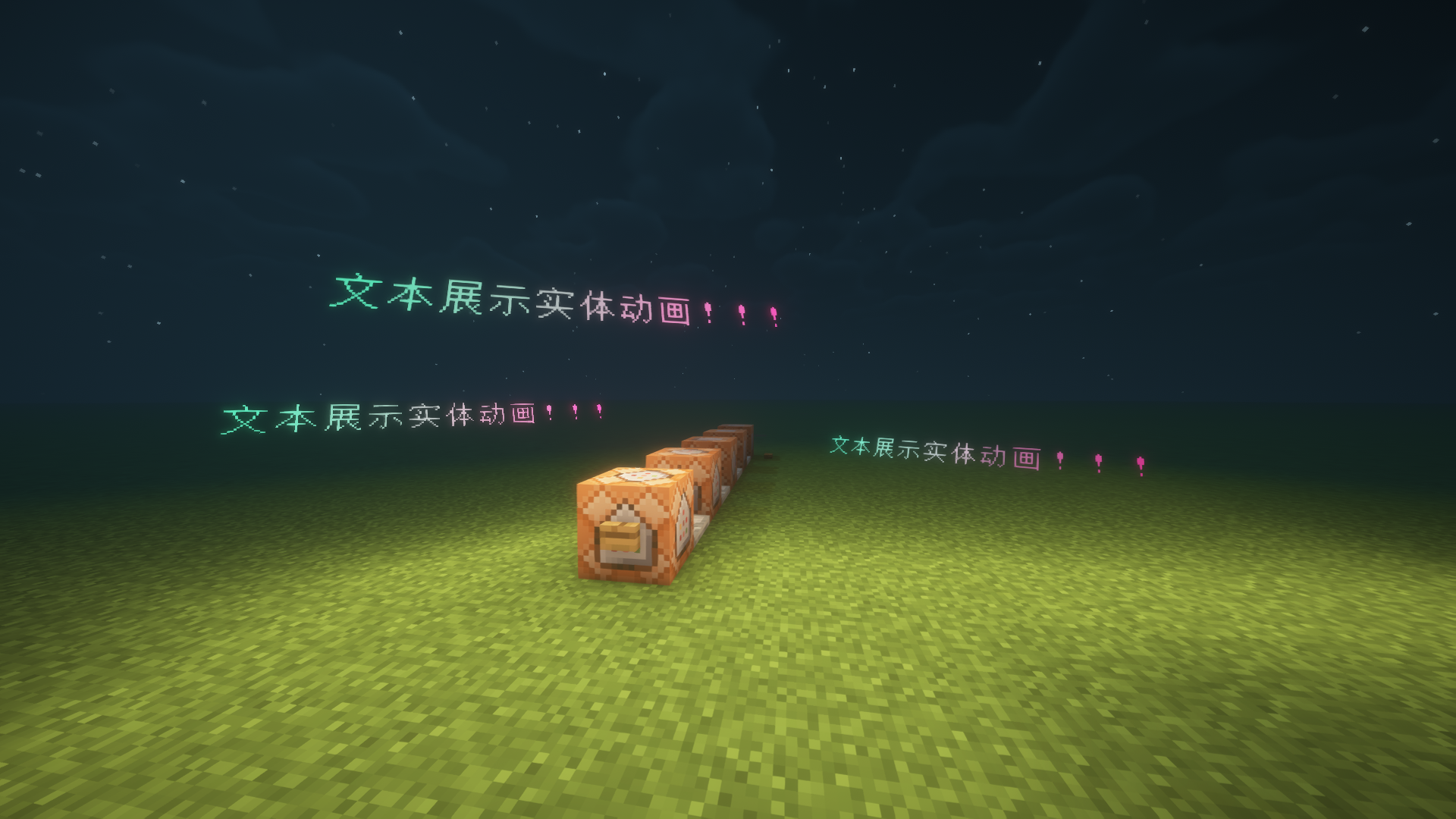
"Text Animation Resource Library" is a data pack module based on display entity and titlecommand, and runs with pure command driver.
Supported version: minecraft java edition 1.21.6+
animation display
Show entity animation

title bar animation
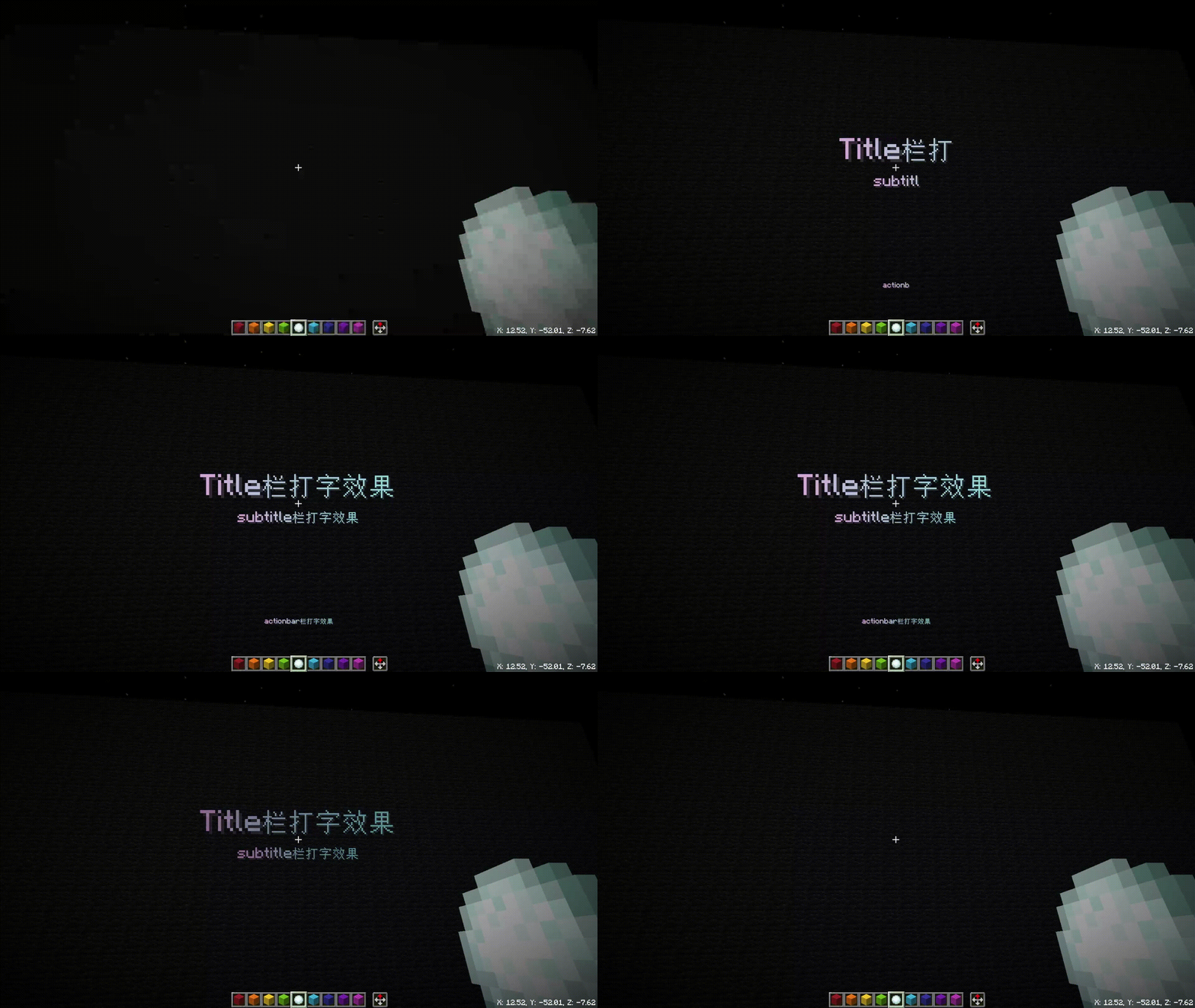
Come and create your own plot animation!
How to use
Install the Special Texts special effect font resource library
Latest versionV2.0
Download linkhttps://wwql.lanzout.com/iEJlQ3639fre
To install into the archive, please see Minecraft Wiki data pack-use
How to use
- Generate text
- Determine the execution dimension, position and orientation
execute in xxx at/positioned xxx rotated/facing xxx
- Select the template function (see below for details) preload instruction and use the parameter component: initialization + project title text or generate entity
run function textanimation:xxx/preload {}
- Determine the execution dimension, position and orientation
- To end all text display entity text, use function textanimation:killall, or click to clear all text animations in the panel entering the game
Template description
**Each template has specific components, and parameters cannot be missing! ! ! **
Text display entity template (the English name here is the name of xxx/preload mentioned above)
fade
- Basic Fade (Basic Component)
cener_diffuse
- Basic Center Diffusion Fade (Basic Component)
step_diffuse
- Center typewriter (basic component)
print
- Typewriter effect (typewriter component)
print2
- Typewriter effect + backspace disappears (typewriter component)
print3
- Typewriter effect + two-way backspace disappears (typewriter component)
cener_diffuse_more
- Center Diffusion Fade (Detailed Component)
slidedown
- Top-down effect (detailed components)
slideup
- Bottom-up sliding effect (detailed components)
sliderandom
- Sliding effect from right to left (detailed components)
slideleft
- Random sliding effect (detailed component)
increase
- Enlargement effect since childhood (detailed components)
increase2
- Expanded since childhood and then implemented (detailed components)
turnover
- Page turning effect (detailed component)
title bar template
printer_more
- Action bar typewriter effect (title component)
printer_title
- Title bar typewriter effect (title component)
printer_subtitle
- Subtitle bar typewriter effect (subtitle component)
scoreboard template
scoreboardprinter
- scoreboard typewriter effect (scoreboard component)
Component Description
- Basic components
{text:"字符串",color:"颜色",time:持续的游戏刻一半}
- Detailed Components
{text:'[{文本组件}]',time:持续的游戏刻,scale:缩放大小(不缩放为1),sound:声音序号(须在print/sounds文件自定义,否则为0),speed:动画速度(默认为100,越大越快)}
- Typewriter Components
{text:'[{文本组件}]',time:持续的游戏刻,scale:缩放大小(不缩放为1),length:最大横向长度(仅打印机效果可使用),sound:声音序号(须在print/sounds文件自定义,否则为0),speed:动画速度(默认为100,越大越慢)}
- title component
{text:'[{文本组件}]',sound:声音序号(须在print/sounds文件自定义,否则为1)}
- subtitle component
{text:'[{文本组件}]',sound:声音序号(须在print/sounds文件自定义,否则为1),title:【0或1】(0表示subtitle打字时无正在播放的title,1表示subtitle打字时正在播放title)}
- scoreboard component
{text:'[{文本组件}]',sound:声音序号(须在print/sounds文件自定义,否则默认为0)}
Text component generation
- Quick generation tool
After loading the data pack and entering the game, the system prompts you to click to obtain the text component generation tool, or use /function textanimation:001trigger to obtain it. Write the text that needs to be converted on the first page and the color on the second page to quickly generate a list of text components. Copy the text and write it directly into text: '[here]' to load the function.
- More comprehensive generation tools
Those who are capable can write their own code to separate each character and write it into a text component surrounded by curly braces. At the same time, the color, special effects (underline, bold...), background color of each character can be customized, and can even be a translation component or entitynbt component, etc.
If you still need to quickly generate text components, you can use the online website [Gradient Text Generator] (https://mcg.tuanzi.ink/), if you need the same color, just set the initial color and end color to the same color number!
Custom sound effects
In the sounds.mcfunction of the function folder of each animation, you can write new sounds by imitating existing instructions. The following is an example:
Add the sound effect of picking up the experience ball in the turnover animation. As the sound number 2, you can write instructions
execute if score @s textanimation_sound matches 2 as @a at @s run playsound minecraft:item.bundle.drop_contents master @a ~ ~ ~ 0.8 1.4 0.4Then call the function in the gametextanimation:turnover/preload {sounds:2……}, the value corresponding to sounds is the value of the scoreboard that detects the new sound effect definition.
- The sounds of each animation are independent of each other, so be sure to add sound effects to the corresponding sounds file, otherwise the sound will not play! ! !
Usage examples
- Generate a white character Hello facing you 2 spaces in front of you (using the slidedown template, no scaling, no acceleration, no special sound effects)
execute anchored eyes positioned ^ ^ ^2 facing entity @s eyes run function textanimation:slidedown/preload {text:'[{text:"H",color:"white"},{text:"e",color:"white"},{text:"l",color:"white"},{text:"l",color:"white"},{text:"o",color:"white"}]',time:170,scale:1,sound:0,speed:100}- Generate a golden character Title in the title column (using printer_title template)
function textanimation:print_title/preload {text:'[{text:"H",color:"gold"},{text:"e",color:"gold"},{text:"l",color:"gold"},{text:"l",color:"gold"},{text:"o",color:"gold"}]',time:170,scale:1,sound:0}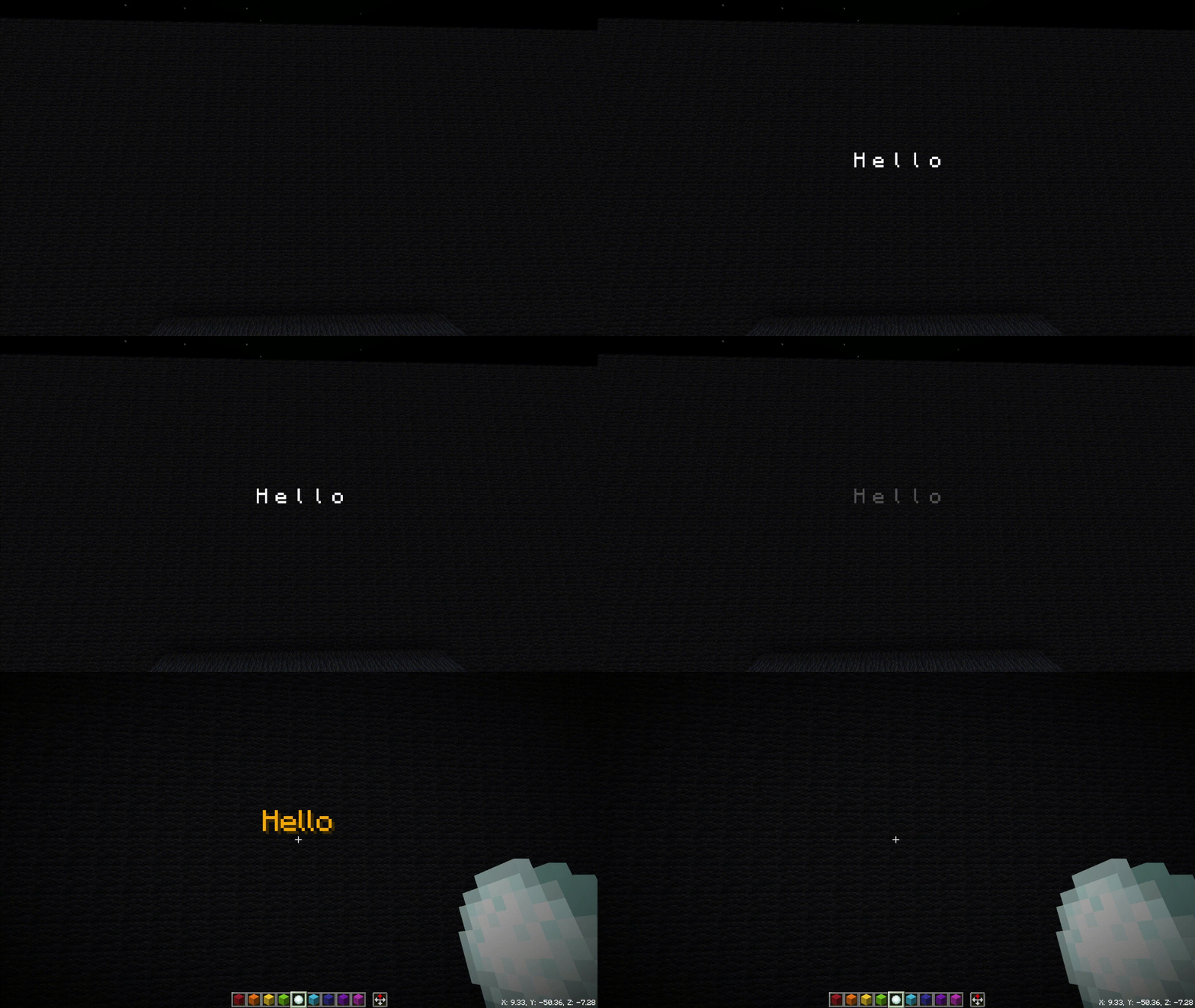
design ideas
source of inspiration
PowerPoint text playback Aftereffect animated subtitles
Design reference
Create your own 📚story📚 in Minecraft! Dialogue Generator——PaperDialogue Generator v2)
Typewriter effect text emerges - the tenth day of winter typewriter effect
Implementation ideas
- Pass in text components (each word is divided into one component)
- Use the function execution position to generate an invisible display entity (text_display) with a transparency of 0 as the reference point to store the text component.
- Generate a marker as the starting position of the animation
- Offset the reference point to the left by (number of characters/2)*0.23 cells as the first word generation position
- within the same game
- Repeat the execution to generate the text display entity (transparency is 0)
- Store corresponding text components, data tags and scoreboard scores
- Offset one character width to the right by the number of cells
Each text corresponds to a display entity, which can easily cause a lot of lag. Please do not pass in too long text!
- Display the entity's tag based on the text, determine what animation will be executed, and determine the order in which to start the animation through the scoreboard value.
- After completing the animation: gradually set the transparency to 0 (fade out), or gradually reduce the number of text components displayed (backspace typing)
- After everything is transparent, remove all display entities and tags of this text.
Production credits
Paper circle PaperThe tenth day of winterfunnyAxiom ModDatapackHelperPlusPCL2Minecraft Gradient Text GeneratorMinecraftWiki
Summary and Outlook
- data pack is completely free and open source, and has stopped updating content click here to download
- For cooperation and bug feedback, please go to CoolGaston personal space Chat with the author privately or join QQ group chat 1049824637
- Finally, I sincerely hope that this resource library data pack can bring convenience to all developers in their map creation!