
Translation notice
This page was translated with machine translation and may contain inaccuracies. If you can help improve it, please open an issue or submit a pull request.
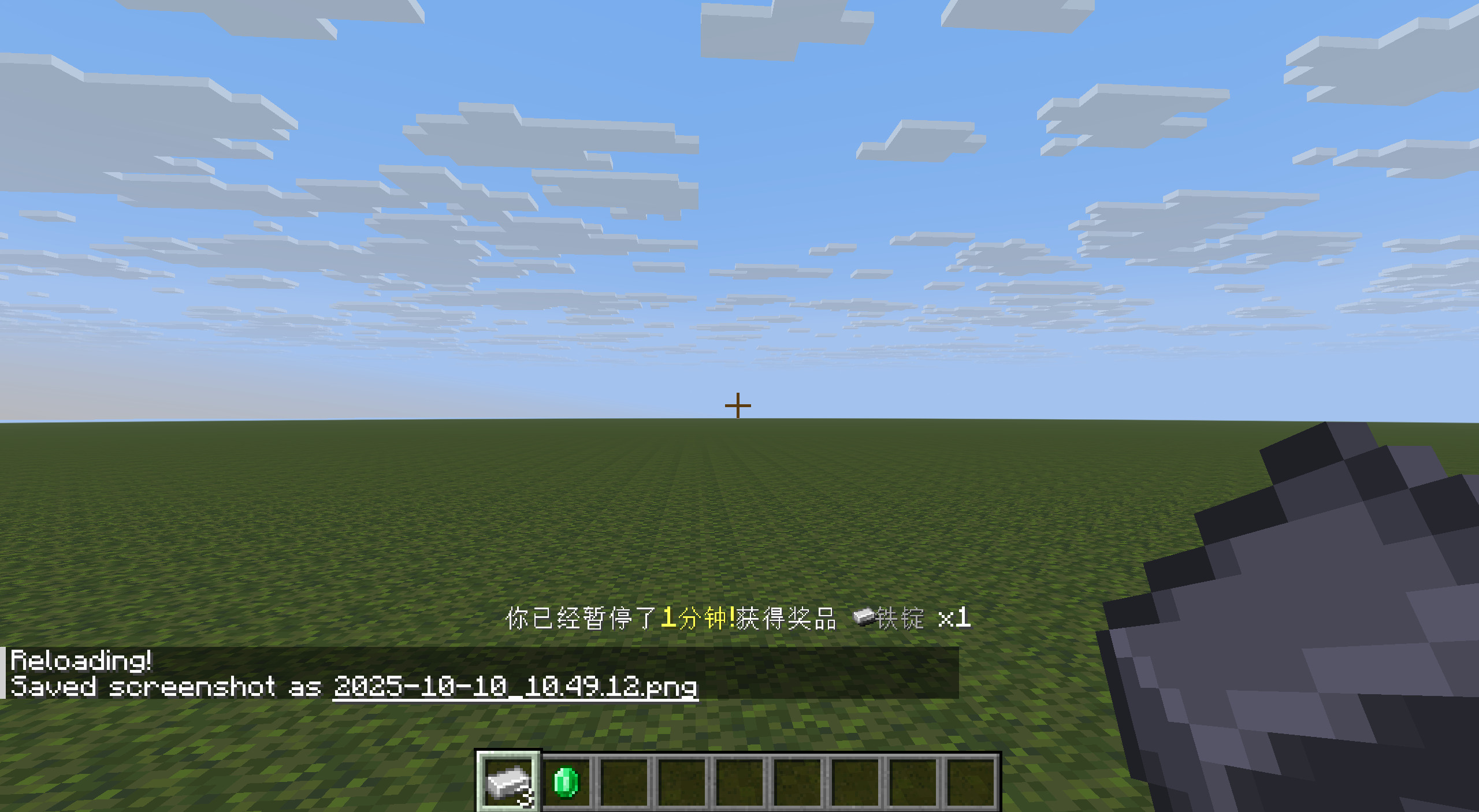
Starting with /stopwatch: Some random thoughts related to time detection
summary
By comparing the differences between different timing methods in different states, this article provides a solution for time monitoring of behaviors such as player pausing the game, player computer hibernation, and exiting the world.
25w41a's latest /stopwatch command can create a stopwatch for timing. In actual use, this command has some surprising features, but it also has very frustrating characteristics.
But if you think about it carefully, this instruction does provide a new way of time detection, which can be used in parallel with other methods to complement each other. Therefore, I think it is time to briefly summarize all the solutions in the data pack that can be used to detect time.
1. Timing method
1.1 Command system-dependent timing
These timing methods depend on the operation of the command system. These timing methods will stop when the command system is suspended.
1.1.1 Scoreboard auto-increment
This timing method is very simple and straightforward: take a scoreboard item and increment it by 1 every tick after initialization. This increment instruction can be completed by tick function or loop command block. You can also increment each player separately in the scoreboard. In this case, you can use tag or target selector techniques to complete the filtering of specific player status.
1.1.2 Gametime gametime
gametimerecords the number of game ticks that have passed since the game started running. It can be queried through/time query gametime and returned to the scoreboard.
1.2 player-dependent timing
These timing methods rely on the player to run. These timing methods will stop when the player is not in the world.
1.2.1 Play time play_time
Scoreboard criteria minecraft.custom:play_time automatically records each player's play time, accurate to the game moment.
1.2.2 world time total_world_time
Scoreboard guidelines minecraft.custom:total_world_time records in each player's scoreboard the actual time the world was opened for that player, accurate to the game tick. To serverplayer this item is always equal to the previous item.
1.3 command block time
This approach will inevitably change the world. Place a command block to execute any command, and its output value will return a time, accurate to seconds. You can use string slicing and macros to transfer it to the scoreboard to complete analysis.
1.4 stopwatch stopwatch
The new version of the /stopwatchdirective can create a stopwatch, complete the timing with millisecond precision, and can match in/execute if stopwatch with millisecond precision.
But what is very frustrating is that ~~Therefore, if we need to get the current time of the stopwatch, we still need to place the command block and get its output value (stored in double form, accurate to milliseconds), so the world will still be changed. ~~/stopwatch query always returns 1 to the scoreboard, and this is the official intention (see MC-302701)。
Supplementary note
In the official snapshot version 25w42a the day before this article was published, the /stopwatch query command can already return the current time value (integer) and can be scaled, so it is no longer necessary to obtain the command block output to obtain stopwatch readings accurate to milliseconds.
1.5 (Supplementary) worldborder timing
Some readers may be curious about what the /worldbordertiming method mentioned in theDeveloper's Notelooks like when/stopwatch is introduced in the official update log of 25w41a.
Since the author has no experience in using related timing methods, the author consulted the giant @小豆8593, the answer is as follows: (slightly modified)
The world border always expands/contracts in milliseconds. Use command
/worldborder set <distance> [<time>]to control the expansion/shrinking process, and use command/worldborder getto obtain the distance number of the current world border. Therefore, by appropriately setting the expansion/contraction speed of the world boundary, we can obtain the boundary distance difference between the two operations before and after the difference method, divide it by the speed and convert it into a time difference. For example, it takes 1000 seconds to expand the world border by 1000000 blocks, that is, when the expansion speed is 1 block/millisecond (/worldborder set 1000000 1000), the difference in the world boundary obtained twice before and after is the time difference accurate to milliseconds.The following is an example:
mcfunction
Set the initial position instantly
worldborder set 1000000 0
Start measuring time
worldborder set 5000000 4000
The command context of the test time
...
Restore boundaries
worldborder set 5000000 0
Before 25w41aversion, this timing method was based on real time, that is, its timing interval could be regarded as the same as /stopwatch. However, according to the Developer's Note, in subsequent versions worldborder will run based on the game tick, that is, its timing interval and precision will be changed to the same as the command system-dependent timing method.
2. Time status
2.1 During the running game
For single-player mode, the running game is not in the tick freeze state and is not in the pause interface. (In single-player mode, other UI interfaces except the pause menu, pause dialog and F3+Esc pause will cause the game to continue running.) For multiplayer or LAN modes, the game will continue to run in the pause interface and the player will be counted as still playing.
In this state, the game itself and the command system will run at the default speed of 20 tick/s, so the above six timing methods all run normally.
2.2 Running but not within the game session
This state exists in a server without a player logged in. Player-dependent timing is not available, but other methods are still available.
2.3 Playing but not within the running time
Use /tick freeze to achieve a game state without a running game. At this time, the command system-dependent timing will be suspended, but since the player is still in the world, all player-dependent timing methods will continue.
2.4 Time when the world is neither running nor playing but still open
Pausing the game in single-player mode will enter this state (regardless of tick freeze or not). At this time, the first three timing methods are paused, and the last three are continued.
2.5 During burning or computer sleep time
Although the first four timing methods may or may not rely on running game ticks, these methods all rely on non-running game ticks rather than system time for timing. In other words, when disconnecting in the paused state (the world is still open), none of the first four methods will run. Computer sleep/hibernation will be recorded as ticks by the server, and the number of ticks may reach tens of thousands or even hundreds of thousands of ticks.
This ticking is registered by the server, and a line of message is printed in the log when it occurs.
2.6 Time to close the world or close the game
Since the command block method directly obtains the real time, we can use this to track the time from closing the world to reopening within a 24-hour range. At this time, none of the first five methods are running.
2.7 Summary
| Game status | Scoreboard increment | /time query gametime | play_time | total_world_time | /stopwatch | command block |
|---|---|---|---|---|---|---|
| Single player mode runs normally | √ | √ | √ | √ | √ | √ |
| Pause the game in single player mode | √ | √ | √ | |||
/tick freeze in single player mode | √ | √ | √ | √ | ||
| Multiplayer mode runs normally (with player) | √ | √ | √ | √ | √ | √ |
| Multiplayer mode player enters pause menu | √ | √ | √ | √ | √ | √ |
| Multiplayer mode runs normally (no player) | √ | √ | ||||
| Erase or computer hibernate | √ | √ | ||||
| Exit world | √ |
3. Time comparison
Based on the above conclusions, we can use the differences between different timing methods to track some time periods that are difficult to reach by the command system itself.
3.1 Single player mode player paused
The total time the game is paused in single player mode can be tracked by a timer that is still running (such as total_world_timeor/stopwatch). At this time, the first three timers will not run. Therefore, the duration of the pause can be determined by simply comparing the differences between the first three timing methods and the last three timing methods during a specific period. The sample code is as follows:
# 初始化 (load)
scoreboard objectives add test0 minecraft.custom:total_world_time
scoreboard objectives add test1 minecraft.custom:play_time
scoreboard objectives add test00 dummy
scoreboard objectives add test11 dummy
scoreboard objectives add test01 dummy

# 在玩家处每刻执行 (tick)
scoreboard players operation @s test01 = @s test0
scoreboard players operation @s test01 -= @s test00
scoreboard players operation @s test01 -= @s test1
scoreboard players operation @s test01 += @s test11

scoreboard players operation @s test00 = @s test0
scoreboard players operation @s test11 = @s test1
After running, when the single-player mode game is paused, the player's test01 scoreboard value will store its pause duration in ticks. (Always 0 when not paused)
Of course, you can also reset stopwatch every time the command system is run to detect this difference, but the operation is not very convenient.
3.2 Single-player mode player computer sleep/hibernation
The difference between computer sleep and game pause is reflected in the total_world_timescoreboard. Therefore, we can determine the computer sleep duration by comparing the difference between thetotal_world_timetiming method and thestopwatch timing method.
Due to the aforementioned reasons, the stopwatch timing method requires placing a command block to obtain its corresponding time, which is a little troublesome. No sample code is provided here.
3.3 Re-enter the world within 24 hours
By continuously detecting the command block time, we can obtain the specific time when the world is not open. In order to avoid interference when the command system is not running, we will compare the time difference with the stopwatchtiming method. At this time, the two can be directly merged and executed in a cyclic command block (the command block continues to execute/stopwatch query, and the data required by the two timing methods can be obtained at the output position at the same time).
Of course, since this method can only return time but not date, this method will also cause errors when the world is closed for more than 24 hours.
4. Summary
The author is really not sure what kind of maps/requirements would require detecting the time when the player sleeps or exits the world, but since this possibility exists, it can be considered as providing you with an inspiration.