
Translation notice
This page was translated with machine translation and may contain inaccuracies. If you can help improve it, please open an issue or submit a pull request.
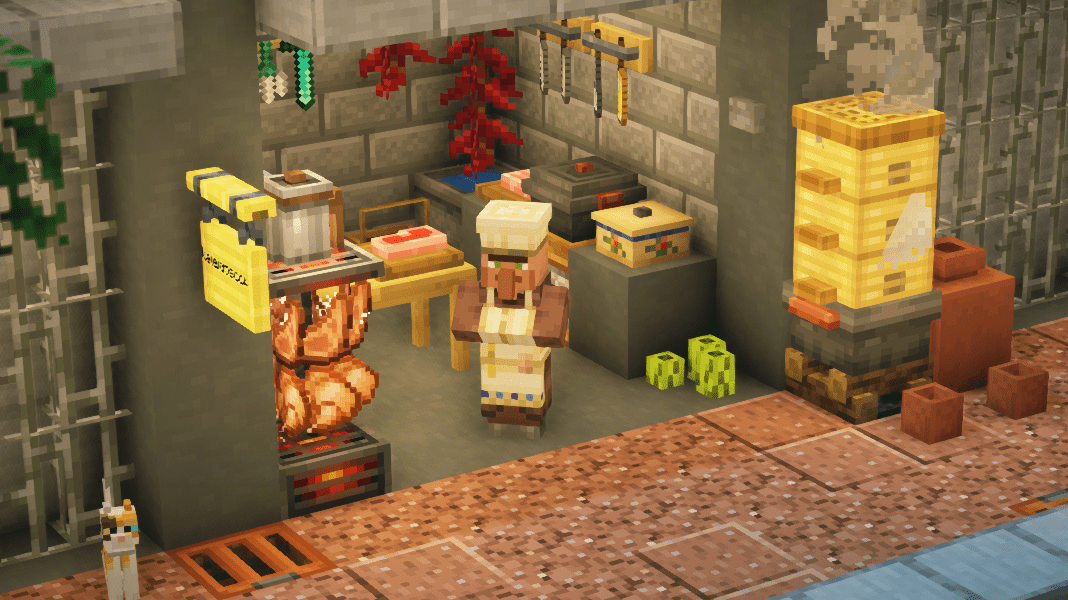


Simple, lightweight and elegant - dc decoration model support library
introduction
Decoration Creator Kit (dc) is a support library for decoration models of MC high version (1.20.5+). It allows developers to use at least two instructions to register an interactive model in the game.
This support library allows developers to easily define various attributes and interactive events of the model. Registered models can be directly placed, interacted and destroyed like blocks, and can also be moved, rotated like entities, and provide various feedback to the player's interaction. Therefore, this support library is very suitable for authors of decorative models.
About the birth of DC...
This project originally came from a commission in March 2024. The client wanted me to create a data pack that can support custom model placement, movement and rotation. In fact, when I was developing CAM earlier, I considered the possibility of making decorative models.
I once planned a "Sculpture Expansion Pack", which contained various decorative sculptures. However, with the termination of the CAM project, this plan has no further progress.
Therefore, I began to imagine making a unified framework that can uniformly manage the placement, destruction and interaction of models while having better performance. It just so happened that mj introduced display entities and interactive entities at that time, and the introduction of function macros also greatly facilitated the transfer of dynamic parameters. With these conveniences, I spent several weeks researching and debugging, and completed the first version of dc. By the way, the original commission was the predecessor of the Senluo Story data pack version, and the current Senluo data pack also relies on DC.
Features and advantages of dc
The goal of dc is to strike a balance between ease of use, lightweight, high performance, and high degree of freedom. Therefore, dc's model has basic interactive functions, and also supports the introduction of external functions and predicates for easy expansion. dc has a very simple and clear index registration structure, and has introduced mcdoc to support automatic completion of index registration, making it more convenient for developers to register models and reduce memory costs.
A typical DC model consists of a markup entity, a presentation entity and an interaction entity. If it has a collision box or light source attribute, it may also have other auxiliary blocks or entities. They are logically connected via uid scoreboard.
dc uses index method to store model data. When you manually execute the install command, the support library will parse and store the index data of the model. When the model is generated, the marked entity will directly pull the index data from the storage and assign it to the display entity and interactive entity. In this way, we do not need to store a large amount of data in the model item, while reducing polling operations and ensuring normal performance.
How to use dc
Index
DC uses indexing to read model data. Before adding a model, you need to register the corresponding index.
Index registration
The registration of the index is to create a function and write data according to the following structure:
data modify storage dc:index input.<name> set value <data>
data modify storage dc:index keylist append value "<name>"
Among them, <name>is the index name that needs to be registered,<data> is the index data, which is a compound tag, and the format is as follows:
Note: The brackets in front of the key are key-value types, and the colon after compound is the structure template. Its structure is only parsed when it appears for the first time, and is omitted later;
Index data
 Index data
type: ( <"regular"|"hitbox"|"fixed"|"light"> ) (default is regular) model type. Thehitboxtype has a collision box, and additional collision box parameters need to be set. Thefixedtype has a complete hit box of 1 grid, which cannot be moved or scaled. The size of the interaction box is fixed at 11. Thelighttype can provide lighting. Others are similar to thefixedtype. They cannot be moved or scaled. The size of the interaction box is fixed at 11. Only models of the same type can be converted to each other.extra_data: Extra data needs to be provided whentypeis notregular.
When typeis"hitbox": + 
width:Collision box width; + offset:The offset of the collision box, which can be a negative value; When typeis"light": + 
level:(value range 0-15, default value 15) light source brightness; + 
hitbox: (default 0) Whether there is a collision box. When set to 1, it has a collision box.
template:(optional)templatename;item: The displayed item data corresponding to the model has the same format as the general item format, withoutslottag.
item common tag
+ <node type="string" name="id"/>id of item
+ <node type="int" name="count"/>The number of items
+ <node type="compound" name="components"/>item component format
  + <node type="any" name="item component ID"/>An item component
  + ...
loot_table:loot table, you can replace the above `item`field and import item data from the loot table. It will be merged with the data in`item`. If there is a tag with the same name, `item`will overwrite the tag in`loot_table`. + 
modsize: Three-dimensional array, item displays the length, width and height of the entity, which is equivalent to displaying the `scale` attribute in the entity + interactsize: Interaction entity size: + height: The height of the interactive entity; + width: The width of the interactive entity; + prop: Additional attributes of the model, where you can specify some model characteristics. + When height_adaption: is set to 1, the height of the collision box will be adjusted accordingly when rotating vertically; + events:Interactive event settings. + 
construct:Events executed by default when placed, such as playing sounds, etc.; + An [event](#事件-event), without conditional parameters. + event: Event name, see details below; + args: Parameters, the specific format is determined by the event (if some events do not have parameters, this item does not exist) + update:Events executed when the model is updated. Events such as rotation, scaling, and transformation will trigger update behavior. + An [event](#事件-event) , without conditional parameters. + event: Event name, see details below; + args: Parameters, the specific format is determined by the event (if some events do not have parameters, this item does not exist) + left_click:Left click event + fallback:The default event applied when the event criteria in `criteria` are not met. an [event](#事件-event) , without conditional parameters. + event: Event name, see details below; + args: Parameters, the specific format is determined by the event (if some events do not have parameters, this item does not exist) + criteria:Conditional event, an event triggered when the player holds the corresponding item and clicks on the model + An [event](#事件-event) + event: Event name, see details below; + args: Parameters, the specific format is determined by the event (if some events do not have parameters, this item does not exist) + item:Triggering this event requires the player to hold the item, and the id can be item or itemtag; + Structure slightly + preidcate:predicate condition, triggering the event requires the clicked player to meet the predicate requirement, which can be defined inline; + right_click:right click event + fallback:The default event applied when the event criteria in `criteria` are not met. an [event](#事件-event) , without conditional parameters. + event: Event name, see details below; + args: Parameters, the specific format is determined by the event (if some events do not have parameters, this item does not exist) + criteria:Conditional event, an event triggered when the player holds the corresponding item and clicks on the model + An [event](#事件-event) + event: Event name, see details below; + args: Parameters, the specific format is determined by the event (if some events do not have parameters, this item does not exist) + item:Triggering this event requires the player to hold the item, and the id can be item or itemtag; + Structure slightly + preidcate:predicate condition, triggering the event requires the clicked player to meet the predicate requirement, which can be defined inline; After that, create a namespace named dc under your own data pack, create a function tag named index (dc/tags/functions/index.json), and add the index registration function.
Index loading
After the index is registered, the index has not been built and cannot be used yet. At this point the index needs to be loaded. Execute the /reloadcommand, and then execute the/function dc:api/install command to load the index. Dynamic building may take some time, please be patient.
Index usage
After loading is complete, the index can be used to generate the model. You can generate a marker or item display frame (item_frame) with specified data in any way (only supports 1.21.5+) (that is, with dc_placetag and the specified index in data) to generate the specified custom model.
/give @s minecraft:cow_spawn_egg[entity_data={id:"minecraft:marker",Tags:["dc_place"],data:{index:"#YOURINDEX#"}}]/give @s minecraft:item_frame[entity_data={id:"minecraft:item_frame",Tags:["dc_place"],data:{index:"#YOURINDEX#"}}]Model type
After dc2.0.0, three new model types have been introduced, among which the FixedandLight types are fixed models and are recommended to be generated through the item display box.
Index data inheritance
An inheritance field can be used in the markup entity. The syntax is the same as the index registration data, and it will be merged into the data when the model is generated. Some data can be set individually for specific items.
Here is an example of a spawn egg:
/give @s minecraft:cow_spawn_egg[entity_data={id:"minecraft:marker",Tags:["dc_place"],data:{index:"#YOURINDEX#",inheritance:{item:{id:"apple"}}}}]Event
Currently supports basic events: rotation, translation, sitting, destruction, etc. Most parameters can be left out, in which case the default values apply.
Destruct
Destroy the model.
parameter:
event.event:Event name, here isdestruct;args:Event parameters:particle:Particles generated when destroying the model;sound:The sound effect played when destroying the model;item:Control the dropped items produced by destroying models in non-creative mode:
· If this parameter is not included, no drops will be generated;
· If a null value or any string is passed in, a default drop will be generated (the item specified by item in the index, which also contains the index value for generating the model)
· If a composite tag is passed in, the drops will be modified according to the rules: + mode:(add|replace|inherit) determines item data and merge mode (default is add):
· add: Merge the item data specified in the following parameters (itemorloot_table) with the item data in the **index
· replace: Use the item data specified in the parameter directly, discarding the item data in the index; Note: The item data will still be obtained from the index when re-placed;
· inherit: Discard the item data in the index and dynamically obtain the item data from the model's item display entity. + item:Specifies the item data of the dropped object + loot_table:Use loot table to specify the drop data, which will be merged with the data in item. If there is a tag with the same name, itemwill overwrite the tag inloot_table;
move
Mobile model.
parameter:
event.event:Event name, here ismove;args:Event parameters:type:Translation event type. The following five values are accepted:
X|Y|Z: Absolute path movement, translation on the specified axis. R: Move the model horizontally relative to the position of the player and the model. V: Move the model vertically relative to the position of the player and model.
distance:(-2f~2f) Translation distance. The value needs to be between -2 and 2. If it exceeds it, it will be forced to the nearest boundary value. The default value is 0f.
If type is "X", "Y", "Z", then the positive value moves to the positive direction of the corresponding axis, and the negative value moves to the corresponding negative direction; If type is "R" or "V", then positive values will move away from the player, and negative values will move towards the player.
rotate
Rotate the model.
parameter:
event.event:Event name, here isrotate;args:Event parameters:type:Translation event type. Accepts the following two values:
"H": Horizontal rotation; "V": Vertical rotation. The default value is H.
distance:(-180f~180f) Angle of rotation. The value needs to be between -180 and 180, otherwise it is forced to the nearest boundary value. The default value is 0f.
sit
You can sit on the model.
parameter:
event.event:Event name, here issit;args:Event parameters:orient: is always an empty tag. When it exists, the orientation of the player at the moment he sits will be corrected to the orientation of the model.
sound
Make a sound.
parameter:
event.event:Event name, here issound;args:Event parameters:sound:Sound effect id, the sound effect played;
Conversion (trans)
Converting a model to another registered model will overwrite the original data with all the data of the corresponding model. parameter:
event.event:Event name, here istrans;args:Event parameters:index* :The index of the model to be converted. If this parameter does not exist, event registration will fail; if this parameter points to an unregistered index name, no modification will be made.func:(optional) After conversion, mark entity as the function executed by the executor.
In the function of this event, the marked entity can be selected using @s; the bound display entity and interaction entity have
dc_trans_displayanddc_trans_interactiontags respectively.
scale
Models can be zoomed in and out.
parameter:
event.event:Event name, here isrotate;args:Event parameters:scale:The change value of the model size, positive value means enlarging, negative value means reducing.
Limitations: The scale itself has no range restrictions, but the model has the following restrictions after zooming in and out: - Model magnification is between 0.1 and 10 - Either width or height of the interactive entity cannot be less than 0.1 - The display entity height cannot be greater than 10
Remark: This event will call the update module to automatically update the model;
Prefabricated events (pre)
Prefabricated events are a type of special events, which are specific ordinary events with fixed parameters. Therefore, there is no need to specify additional arg (it has no effect if specified). Used to simplify operations.
During use, just fill in pre/<prefabricated event name> in events.
event.event:Event name, fill inpre/<prefabricated event name>here;
Currently available pre-made events:
move_r_1px: Move 1 pixel horizontally (push)move_r_-1px: Move horizontally -1 pixel (pull)move_y_1px: Move 1 pixel vertically (top)move_y_-1px: Move vertically -1 pixel (bottom)rotate_h_225: Rotate horizontally 22.5 degrees (clockwise)rotate_h_-225: Horizontal rotation -22.5 degrees (counterclockwise)rotate_v_225: Rotate vertically 22.5 degrees (clockwise)rotate_v_-225: vertical rotation -22.5 degrees (counterclockwise)scale_02: Zoom 0.2 times (large)scale_-02: Zoom -0.2 times (small)
Debug event: update
- Update the data structure of the model to the version of dc, 2. And synchronize it with the current index information
Parameters: None
Remark:
- After the update is completed, an update completion message will be output to the interactive player. Set the
dc_optionsscore of$silent_updateto 1 to not output this message. - Use the debug stick to left-click the model to trigger the update event
Debug events: information (info)
Output the model's attribute information to the player chat bar, including the model's uid, index, zoom factor, version, last update time, current time, etc.
Parameters: None
Remark:
- Use the debugging stick to right-click the model to trigger information events
Process control event: group
Execute a series of events in sequence.
parameter:
event.event:Event name, here isgroup;args:Event parameters:events: is a list, each item in it is an event, and does not include event condition fields.- An event.
event: Event name, see details below;args: Parameters, the specific format is determined by the event (if some events do not have parameters, this item does not exist)
Remark: There is no check for the events in the list yet
Process control event: random
Select an event from a series of events according to its weight for execution.
parameter:
event.event:Event name, here israndom;args:Event parameters:events: is a list, each item in it is an event, and does not include event condition fields.- An event.
event: Event name, see details below;args: Parameters, the specific format is determined by the event (if some events do not have parameters, this item does not exist)
weight:Weight. Represents how likely the event is to be selected.
Remark: There is no check for the events in the list yet
Reserved word: __nothing__
Do nothing. Can be used when creating an empty event.
Custom events (custom)
This event supports referencing external functions as event execution.
parameter:
event.event:Event name, here iscustom;args:Event parameters:func:Customized event function path. See below for event definition specifications.- Optional, other parameters that need to be passed in depend on the event type.
Custom event specification: The path of the custom event is a folder, which contains an
execute.mcfunctionfile for execution, an optionalcheck.mcfunctionfile for parameter checking, and other optional auxiliary functions. When the index is built, thecheckfunction will be called to check the validity of the parameters; when the interaction condition is triggered, theexecutefunction execution event will be executed.
Some interface information you need to know:
- The executed function can be a macro function, and the parameters will be passed in in the form of a function macro and can be called directly; If you do not want to use macro method calls, you can access the storage dc events.temp.target.args path.
- When the check function is executed, the parameters will be stored in the
storage dc:temp event.argspath. You can check and modify the parameter information in this path. After completion, the modified information will be merged into the index data. When problems such as incorrect parameter settings are detected, you can set thedc_tempscore item of#checkto 1. At this time, the event will not be added to the indexed event list.- Each model in this package consists of three entities, a marked entity with
dc_pivottag, a display entity withdc_displaytag, and an interactive entity withdc_interactiontag; The function uses the marked entity as the executor and its location as the execution location. In addition, the ycoordinate of the displayed entity is 0.5 blocks higher than that of the marked entity. You need to pay attention when moving the model. You can usedc_custom_pivot,dc_custom_display,dc_custom_interactionto select the mark of the interactive model, display the entity, and interact with the entity respectively.- When executing an (arbitrary) event, the player that triggered the click event has a
dc_click_temptag, which can be used to find the corresponding player.
Template
It is a development tool to assist in building model data and is part of the index data, which will be merged into the index data during index construction. Repeated parts in the index can be registered as templates to reduce the use of repeated code.
Template registration
Create a new function and write template data in the following format:
data modify storage dc:template <name> set value <data>nameis the template name,datais the template data, which is part of the (incomplete) data of the index. The format refers to Index Data Format, does not contain thetemplate option (i.e. nested template calls are not supported), and all keys are optional.
After completing the template registration, create a function tag named template (dc/tags/functions/template.json) under dcnamespace and add the template function. Finally execute the /reload command.
Template usage
When registering the index, just write the name of the registered template under the template option of the index.
Already have a template
DC has two built-in simple templates that can be called when registering the index. basic:
{
    modsize:[1f,1f,1f],
    interactsize:{height:1f,width:1f},
    events:{
        left_click:{
            fallback:{event:"destruct"},
            criteria:[]
        },
        right_click:{
            fallback:{event:"__nothing__"},
            criteria:[]
        }
    }
}
Basic model template, left click to destroy the model.
default:
{
    modsize:[1f,1f,1f],
    interactsize:{height:1f,width:1f},
    events:{
        left_click:{
            criteria:[
                {
                    event:"move",
                    item:{id:"minecraft:stick"},
                    args:{distance:-0.2f}
                },
                {
                    event:"rotate",
                    item:{id:"minecraft:shears"},
                    args:{angle:-45.0f}
                },
                {
                    event:"rotate",
                    item:{id:"minecraft:blaze_rod"},
                    args:{type:"V",angle:-22.5f}
                }
            ],
            fallback:{event:"destruct"},
        },
        right_click:{
            criteria:[
                {
                    event:"move",
                    item:{id:"minecraft:stick"},
                    args:{type:"R",distance:0.2f}
                },
                {
                    event:"rotate",
                    item:{id:"minecraft:shears"},
                    args:{angle:45.0f}
                },
                {
                    event:"rotate",
                    item:{id:"minecraft:blaze_rod"},
                    args:{type:"V",angle:22.5f}
                }
            ],
            fallback:{event:"__nothing__"}
        }
    }
}
The default model template, based on the basic template, adds the events of moving the model with a wooden stick, rotating the model horizontally with scissors, and rotating the model vertically with a flaming rod. Left and right clicks can exert opposite effects.
set up
There are some setting options within the dc_options scoreboard.
Already set: $auto_install: Set to 1 to automatically load model index data during reload; $silent_update: Set to 1 to no longer output information to the player when updating the model; $silent_register: Set to 1 to no longer output information to the player when registering a new model;
Visual setting interface: Enter /function dc:menu/main to call out the setting page, and you can visually adjust the above options.